Code Red
A downloadable game for Windows
HOW TO PLAY:
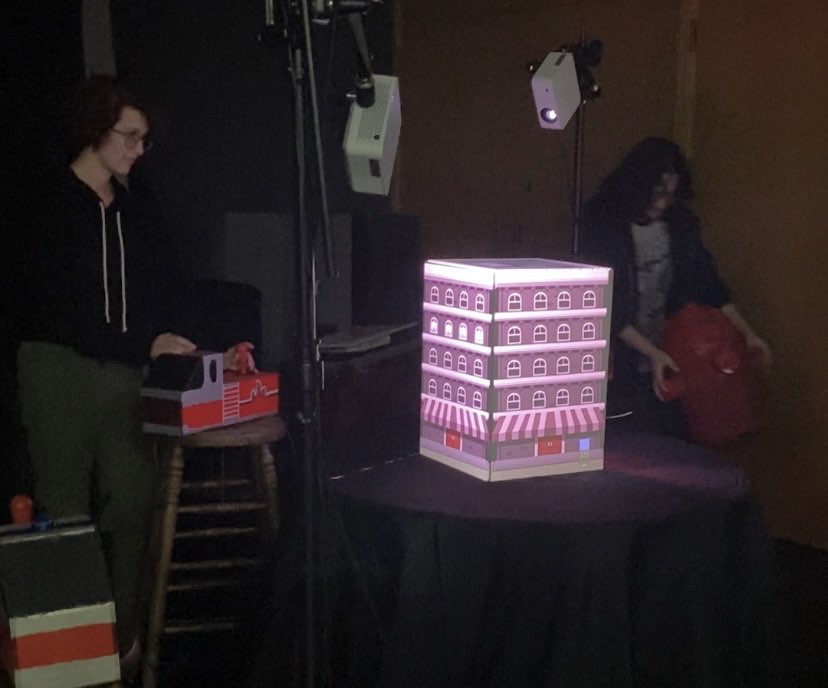
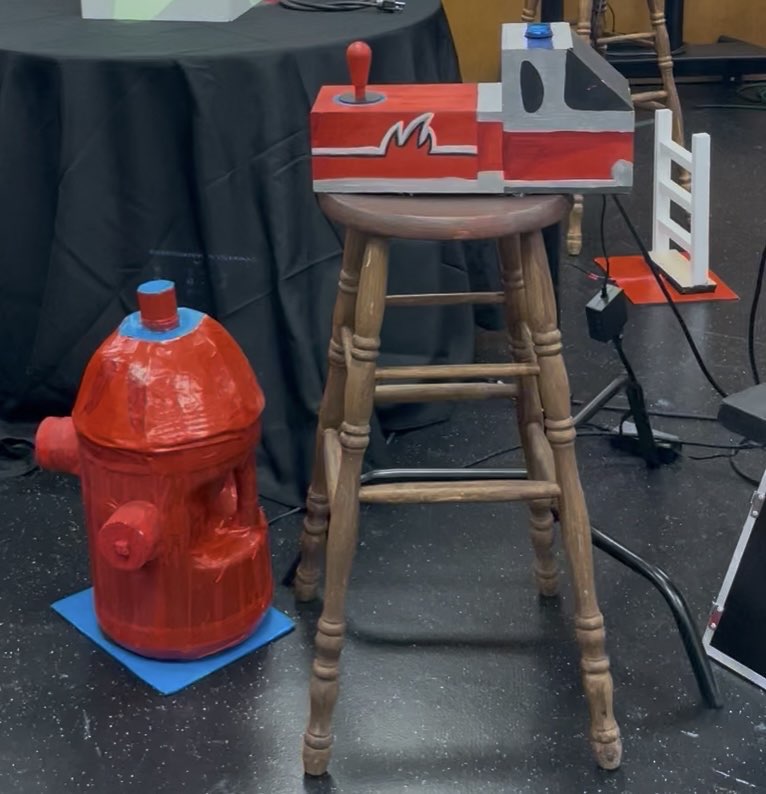
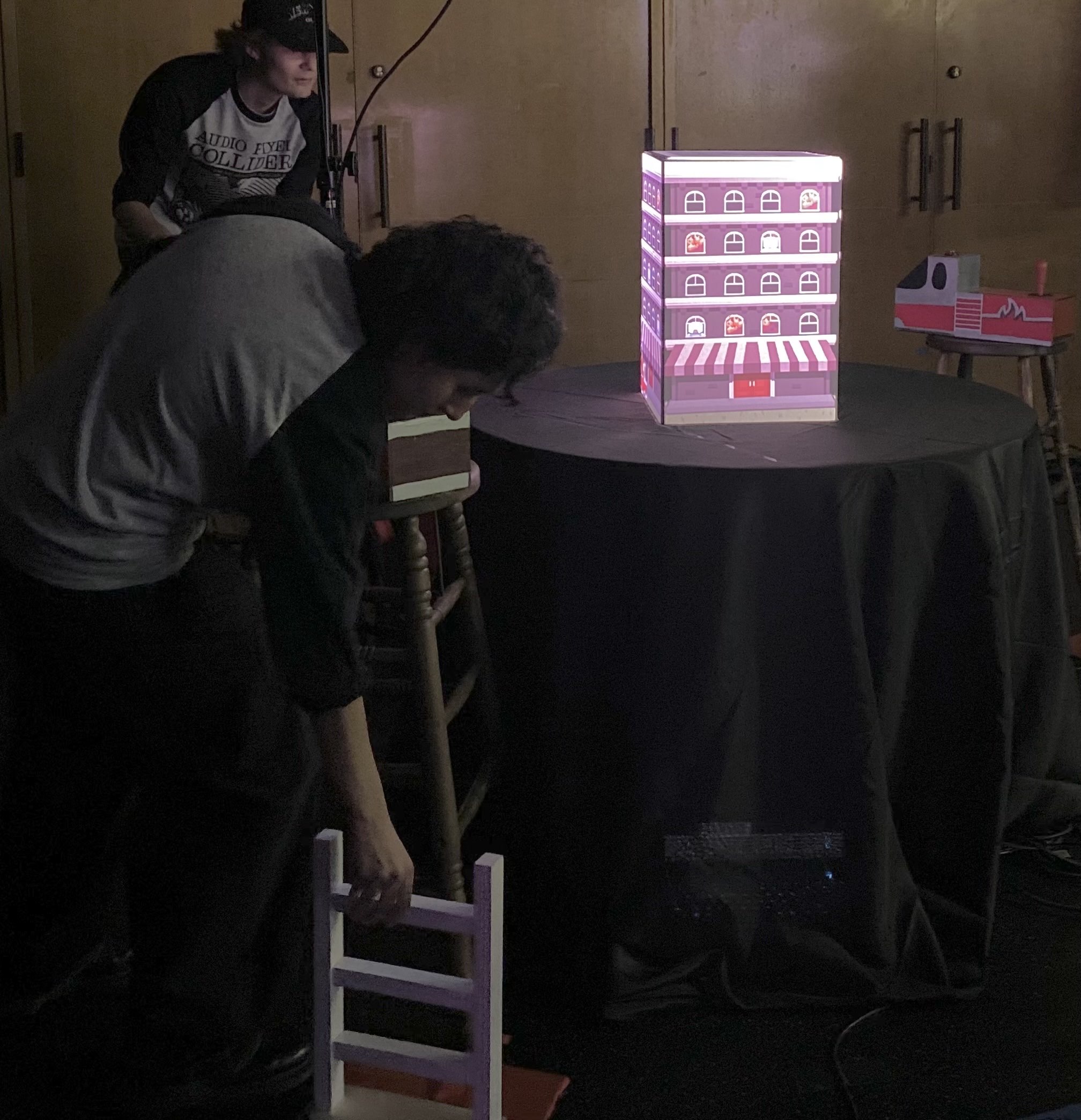
2 players approach the installation and see four firetruck controllers, each on stools. Next to each stool is a station, labeled with a blue circle or red rectangle.
Player 1 will be handed a ladder prop with a magnet on the bottom and Player 2 will be handed a fire hydrant prop with a magnet on the bottom. Once a player has chosen their side to start on, they place their prop down at their station. Player 1 will place the ladder onto a red rectangle and Player 2 will place the fire hydrant onto a blue circle. This will activate their side, and they can start using their joysticks and buttons to save people and put out fires.
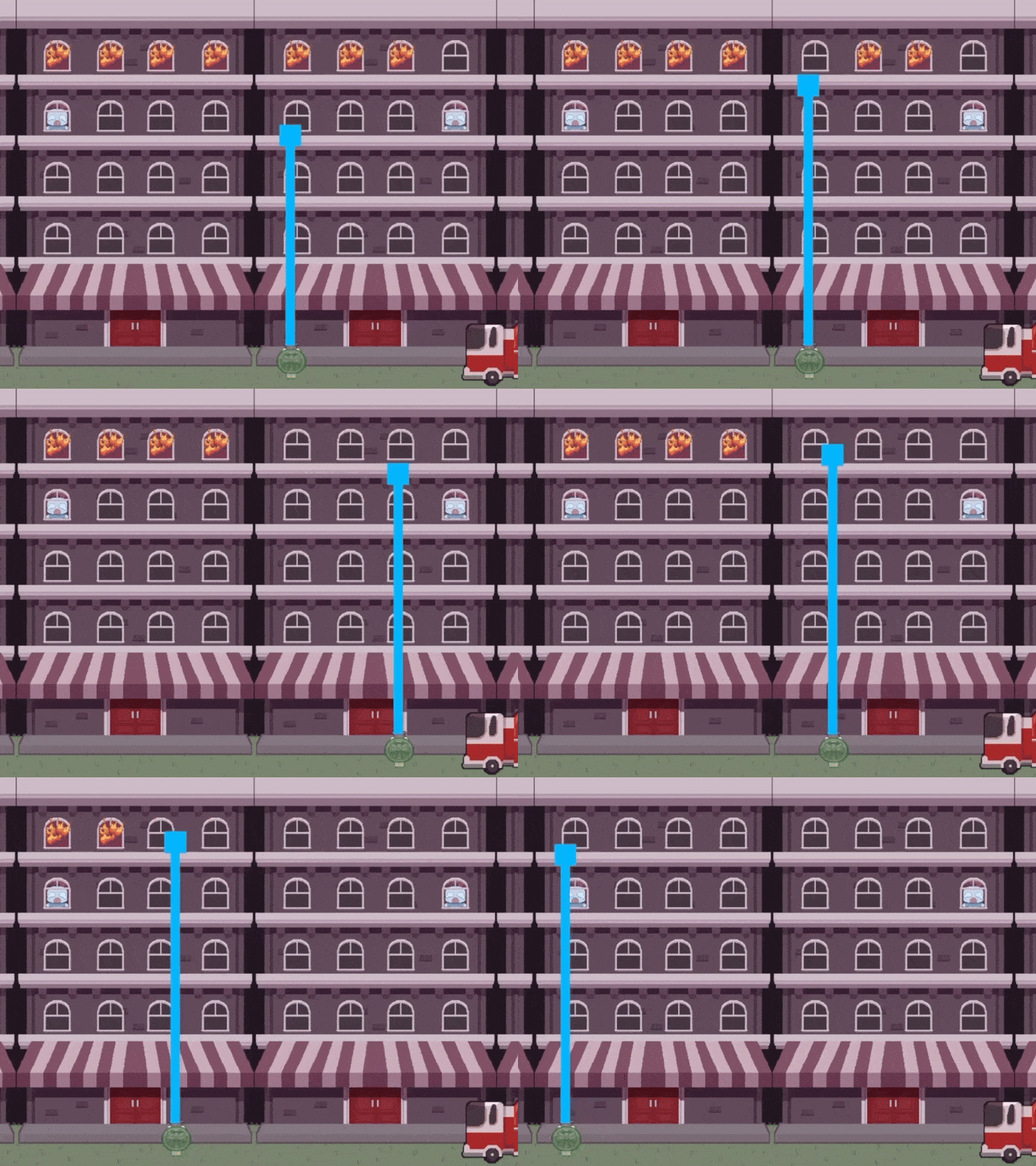
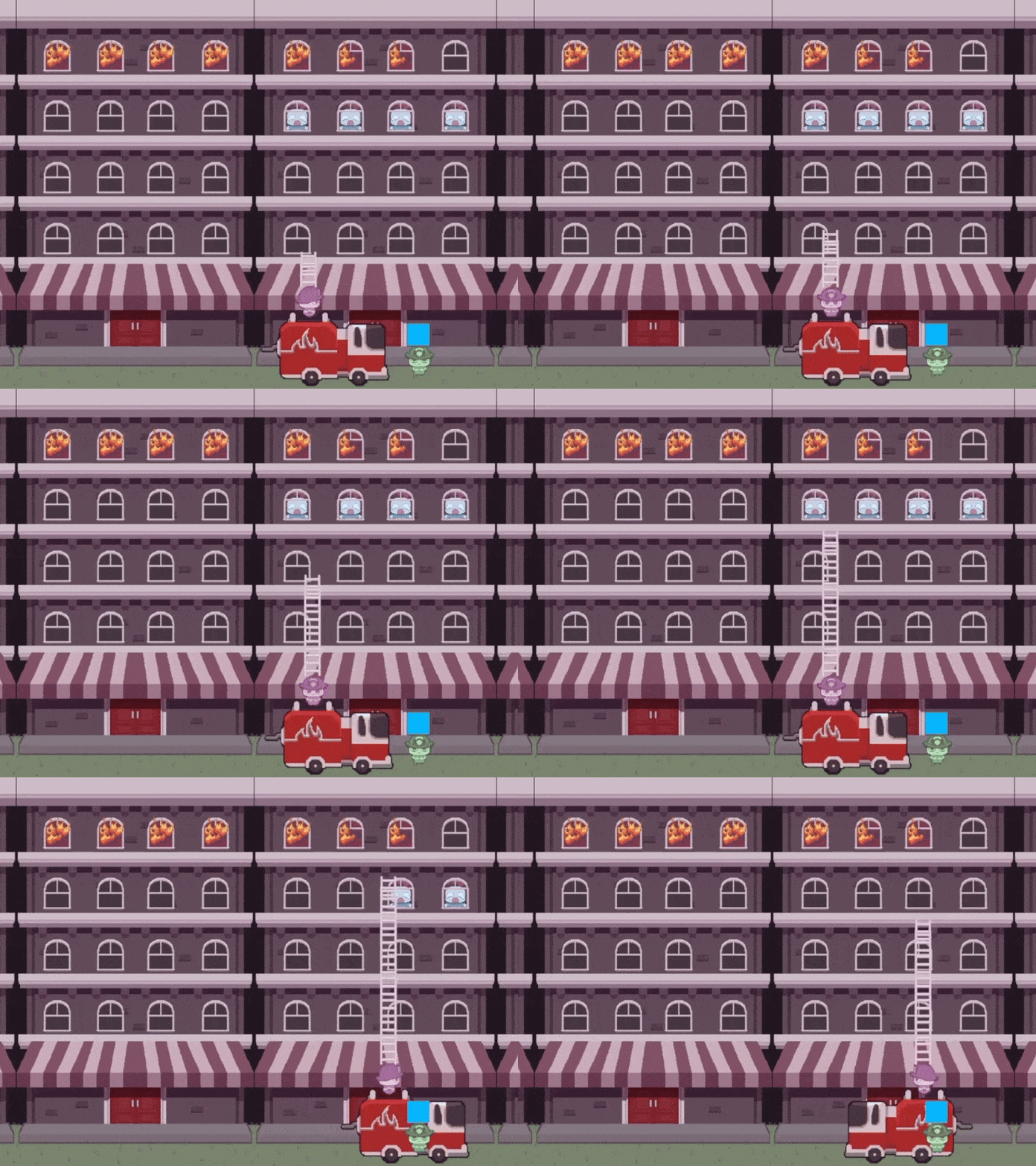
Player 1 will use the joystick to move their truck and the red button to push their ladder towards civilians. Player 2 will use their joystick to move their character and the blue button to spray water to put out fires.
Once their visible screens are cleared, they can pick up their prop and move onto the next station at another corner. Players keep going until time runs out! Highest scores will appear on the leaderboard.
This project combines:
-
Custom-fabricated and wired wooden firetrucks
Custom Fire Hydrant and Ladder Props
Magnet Sensing Stations
-
Teensy-based controller input systems
-
Game logic and interaction design
Art animations, sprites, and backgrounds
Sound Effects
HOW TO INSTALL EXPERIENCE:
Needed Items:
- Custom Controllers and Sensors
- 4 Firetruck Controllers
- 4 magnetic sensors
- Custom Props
- Fire hydrant prop with magnets on the bottom
- Ladder prop with magnets on the base on the bottom
- 4 stools/podiums
- Laptop Running Game
- Projection Mapping Setup ***
- Two tripods and projectors
- Laptop or PC running projection mapping software
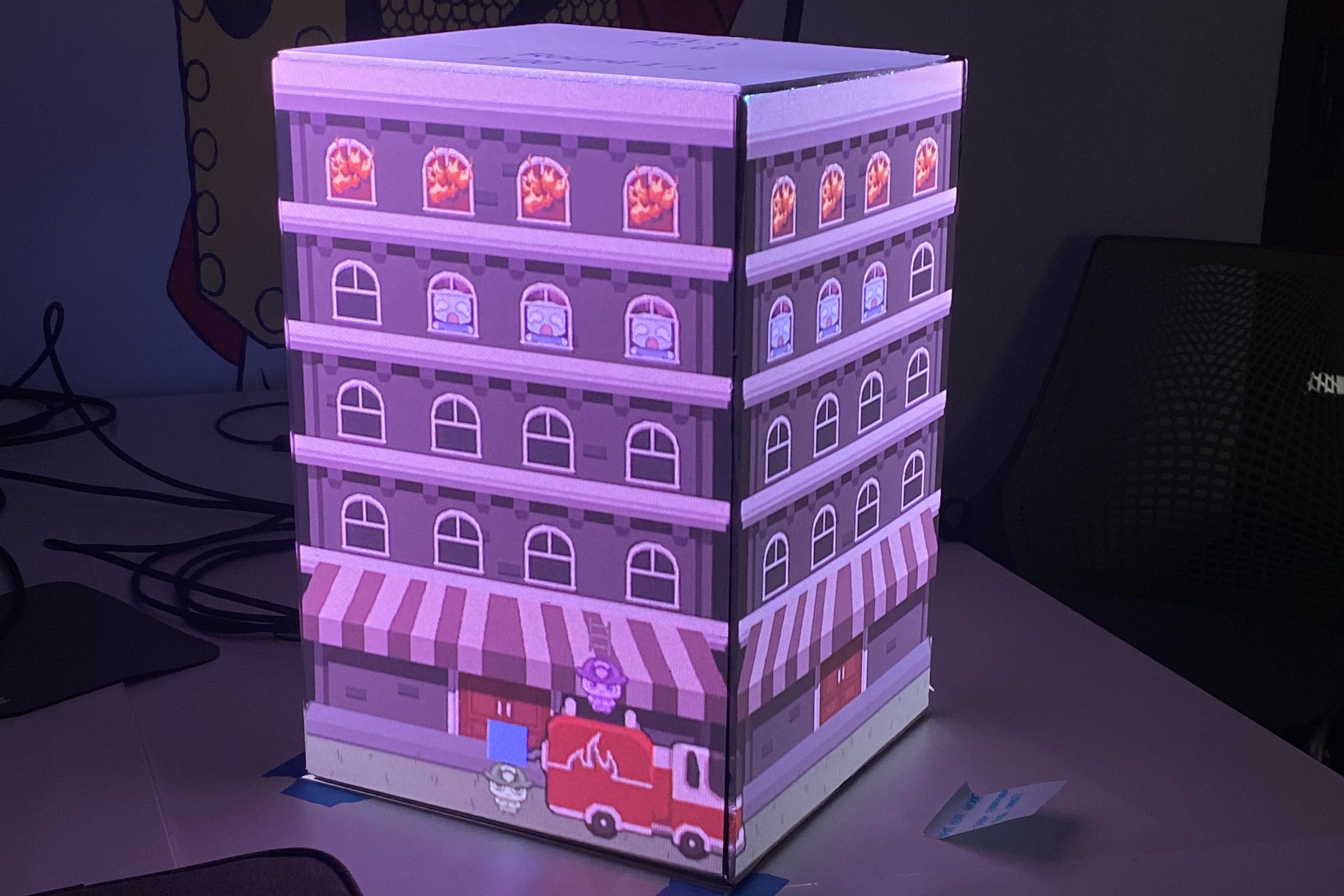
- 4-sided cube
- Extension cords
- Power Strip Surge Protector
- Gaff tape
- Taping cords flush to the ground in order to keep players from tripping
- Tablecloth
- Used to cover wiring and computers underneath the setup
Floorplan Diagram
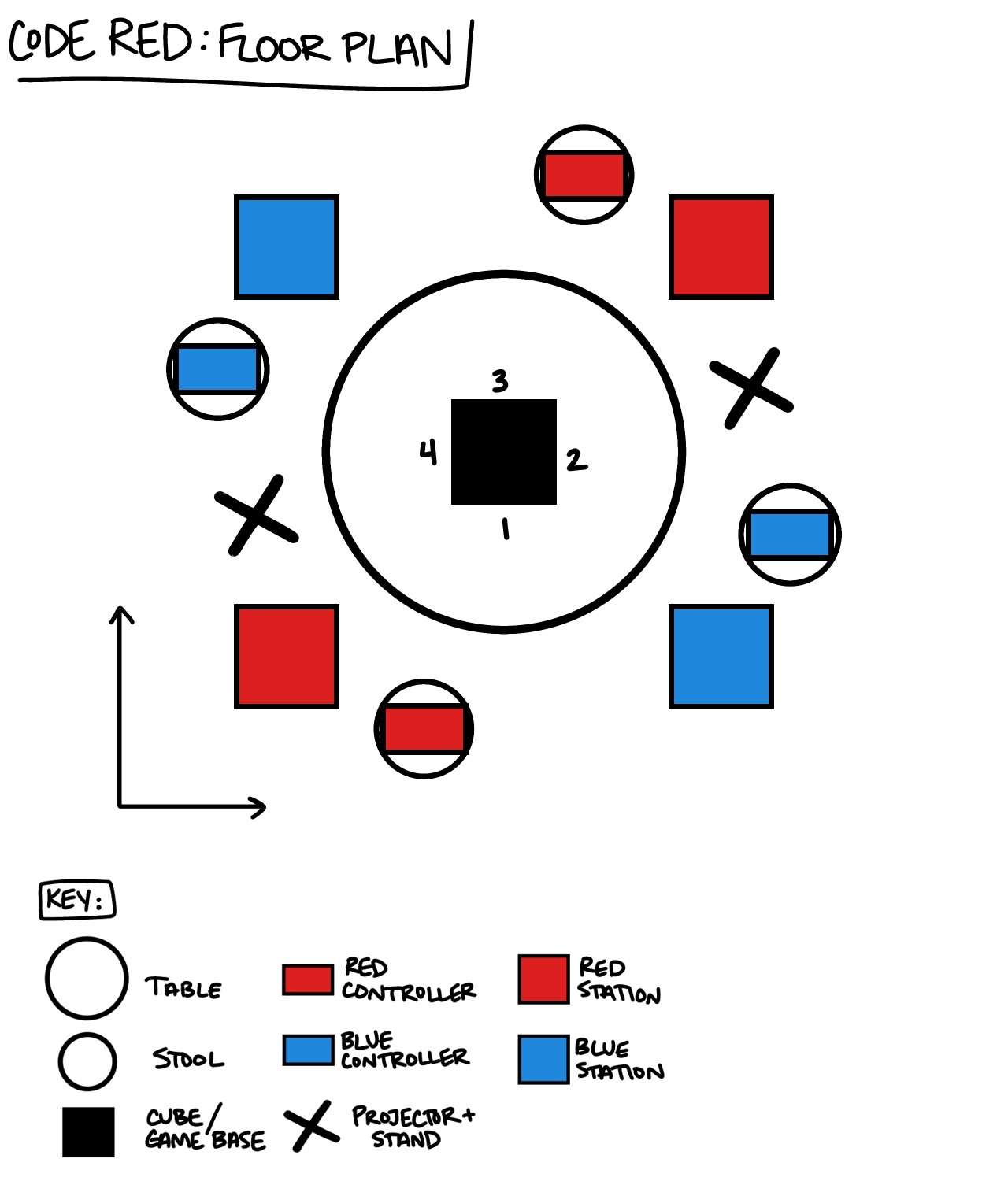
Note that players need extra space around the perimeter of the install to move around quickly, recommended 3-4 feet. Also note that from the table to each stool/controller the cords are approximately 5 feet, make sure to have slack when setting them up to not entangle or pull out anything from under the table.
Cord Diagram
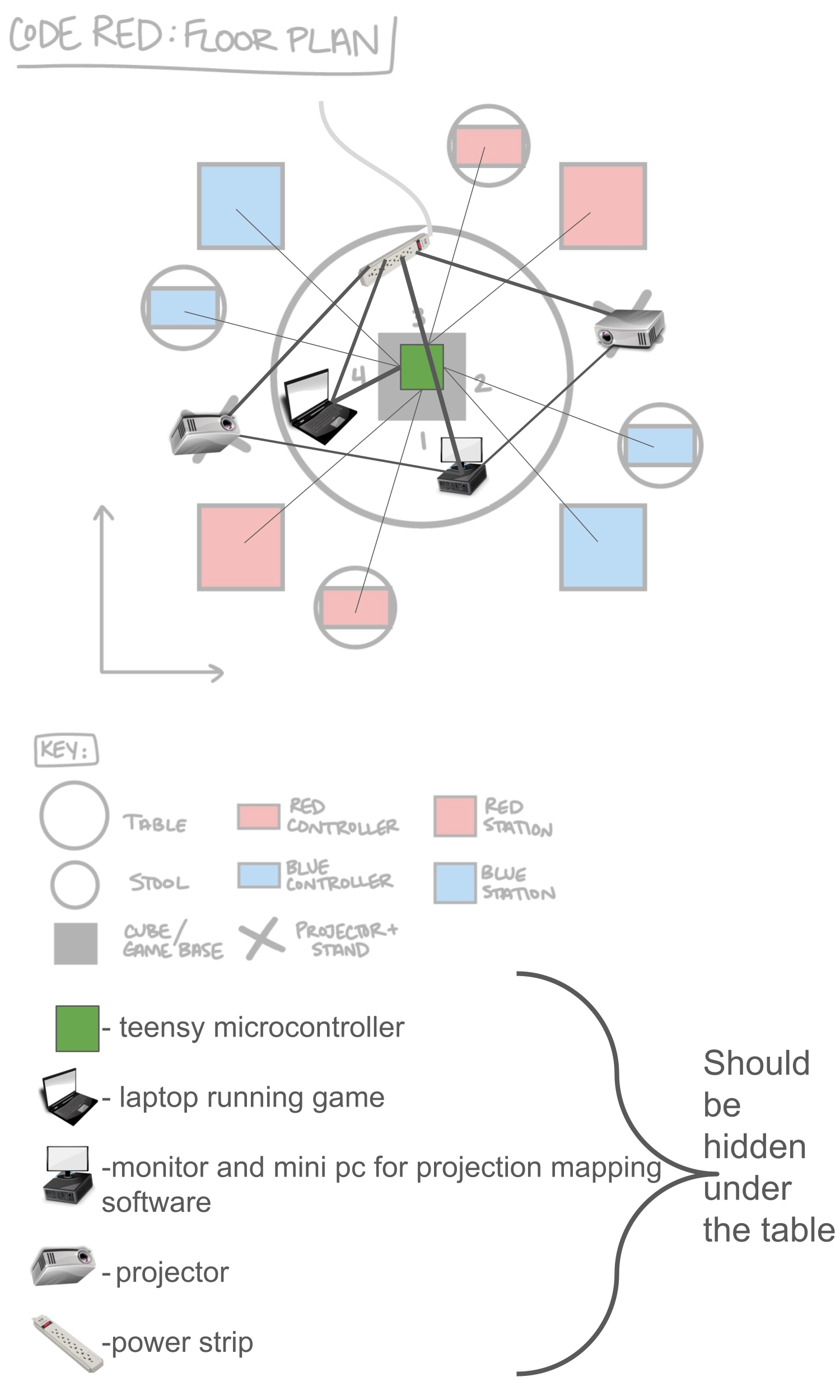
STEPS:
- Gather All Materials in one place (nothing goes under the table until you are done with it)
- Plug in power to the power strip and set nearby
- Set Tablecloth onto table and cube on the tablecloth
- Set Up Projectors in position (tape the corners of each stand)
- Plug in Projectors and mini pc and monitor to power strip
- ***Projection map onto the cube using mini pc and monitor
- Plug in laptop to power strip, run game, and ***make NDI connection
- Place each stool in position
- Untangle cords for custom controllers and stations
- Place teensy under the table and plug micro-USB (connected to teensy) into the laptop running the game using USB connection
- Place firetruck controllers on each stool following diagram
- Place station matching each controller onto floor next to each stool (they are zip tied together if they match)
- Hide Laptop running game, monitor/mini pc, teensy, and any other wires, and power strip under the tablecloth.
- Gaff tape any loose wires flat, including station wires, to avoid tripping hazards.
- Keep Fire hydrant prop and Ladder prop nearby to hand to players
- Test and then Play the game!
WHERE TO FIND THE TEAM:
Thomas Ybarra- Game Developer
Emily Cho - Fabrication Lead/Projection Mapping Lead
Sophia Fulenwider - Lead 2D Artist/Animator
Evelyn Valdez - Custom Controller Developer/Co-Fabricator
David Zambrano- UI/Sound Designer
Casey Dutton - Project Manager/Concept Artist
Download
Leave a comment
Log in with itch.io to leave a comment.